.jpeg)
AI Suggested Findings
Automatically Capture Issues From Email, So Nothing Slips Through the Cracks and You Can Maximize Deal Value.

Powering $255b+ in M&A transactions for the world’s leading Corp Dev teams











"Our team can now communicate directly with the target company on specific request items and get answers in real time. There's great visibility and it has significantly reduced time spent on email exchanges. DealRoom has been a huge time saver."









Catch Every Risk.
Keep Every Deal on Track

Catch risks buried in email
Automatically surface risks and issues from deal emails and attachments so nothing important gets overlooked.

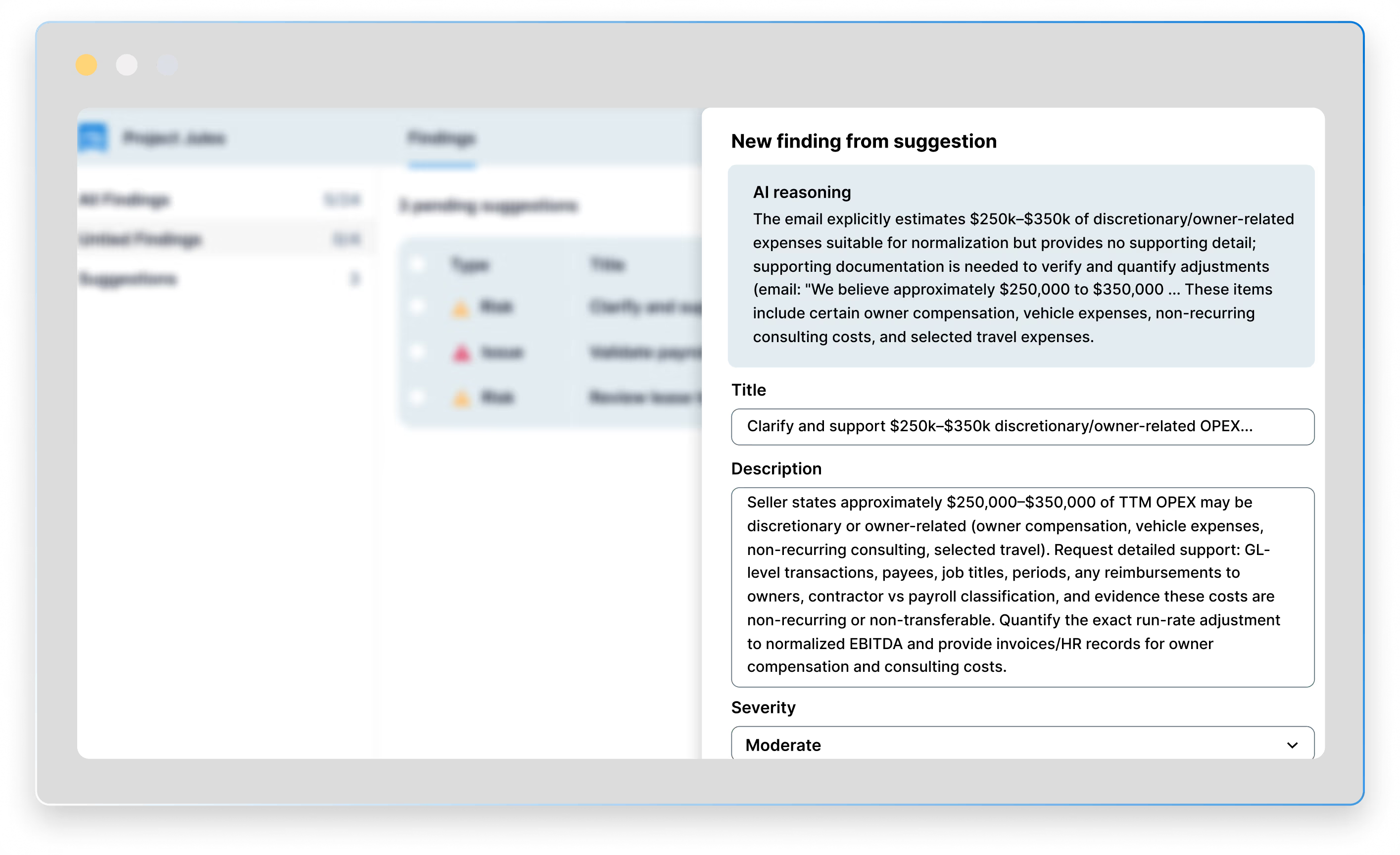
Understand why each risk matters
Get the context, severity, and rationale behind every suggested risk so you can quickly decide what needs attention.

Turn risks into trackable findings
Accept, edit, or reject AI suggestions, turning the ones that matter into structured Findings within your deal workflow.

Get a head start on diligence Keep diligence and integration aligned
Start post-LOI diligence with a ready-made list of findings already waiting to be reviewed.

Surface every deal risk before it becomes a problem
Trusted by 350+ customers



.png)

Benefits


Catch every risk, close a better deal
Better deal outcomes with fewer late-stage surprises, because critical risks are surfaced early enough to plan, price, and mitigate them.

Cut the manual work, resolve more risks
More time for deeper diligence and stronger mitigation, with less manual effort spent tracking and logging risks.

Get a head start on diligence
A ready-made list of findings before diligence begins, so your team can review and refine instead of starting from scratch under deadline.
Frequently asked questions
Where do the suggestions come from?
AI Suggested Findings are derived from emails logged to the deal card through the Outlook or Gmail add-in. In Outlook, you log once and it flows automatically; in Gmail you log each email or thread. Attachments are included in the analysis.
How fast do suggestions appear?
Suggestions appear in DealRoom within five minutes of the email being logged. Open the room, go to Findings, and pending suggestions are waiting in the left rail.
Does AI create Findings on its own?
AI suggests Findings, but it does not add them without human acceptance. . Suggestions sit in a review queue until an admin accepts, edits, or rejects them, one at a time or in bulk.
What information comes with each suggestion?
A title and description, plus type, category, severity, likelihood, confidence, and a note explaining why it was flagged, so you can verify the call before accepting it.
Who can see and act on suggestions?
Review is admin-only. Once accepted, a Finding ties to the deal and follows your normal room permissions, identical to a Finding created by hand.