AI
designed for Pipeline Management

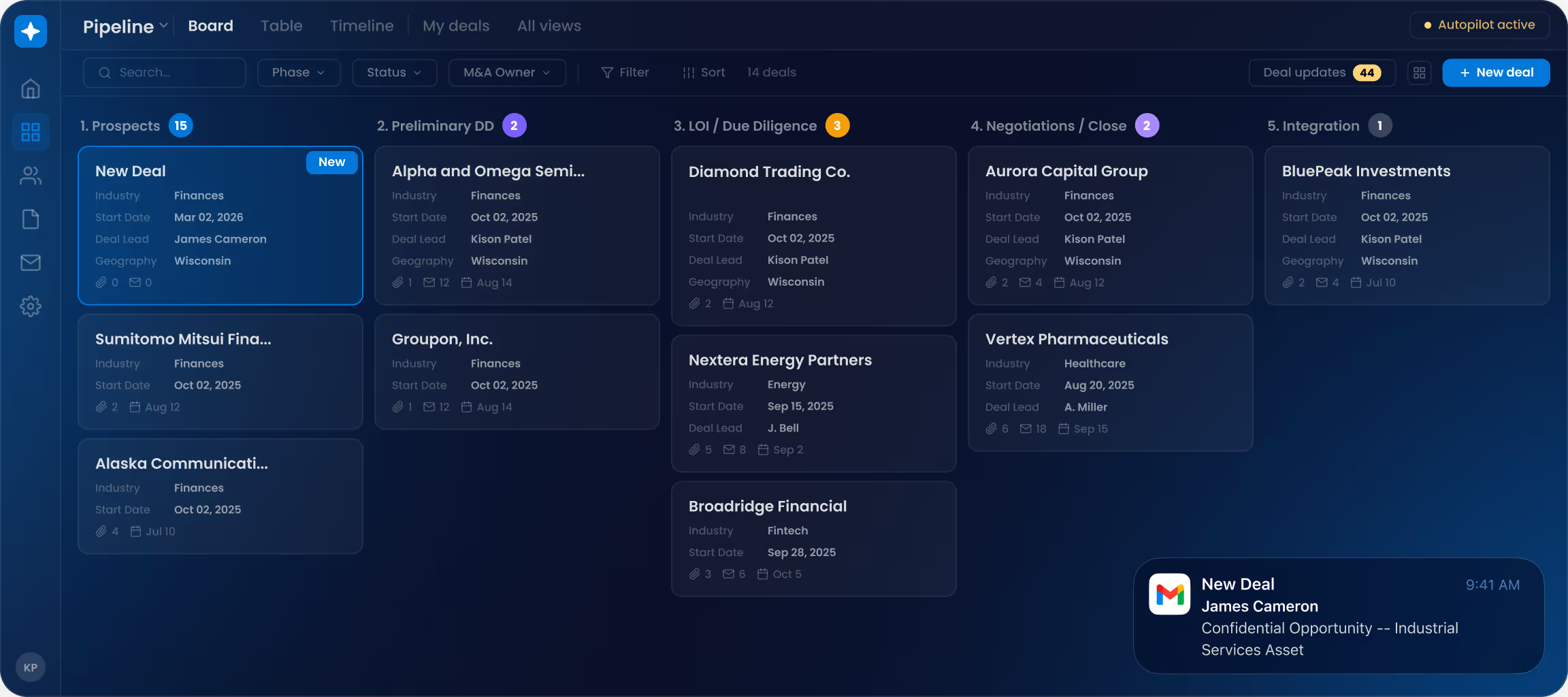
Stop wasting time updating deal trackers or chasing follow-ups in email threads. DealRoom AI automatically captures deal context, keeps your pipeline current, and surfaces the next steps so nothing slips through the cracks.

Powering $255b+ in M&A transactions for the world’s leading Corp Dev teams

Core & Main LogoBelden Logo1-800 Flowers LogoEmerson LogoCompass Group LogoScott's LogoInfoblox LogoEnergizer LogoBecton Dickinson LogoBlock Logo
"When I get a CIM or a financial doc from a broker via email, the AI reads it and suggests updates to my deal card like revenue, EBITDA, headcount, all of it. It's turned the most repetitive part of my workflow into a one-click approval"
Kevin Xu
Vice President of Development and Strategic Finance

From manual pipeline upkeep to automated pipeline management

Before

Manual Pipeline Management

Pipeline reflects last week's reality

After

Automated Pipeline Management
‍Pipeline reflects reality

  • Deal updates buried in email
  • Follow-ups missed
  • Manual data entry
  • Stale deal cards
  • Outlook conversations captured
  • AI detects deal updates
  • Tasks created automatically
  • Deal cards stay current

How AI for Pipeline Management works

Step 1

Capture

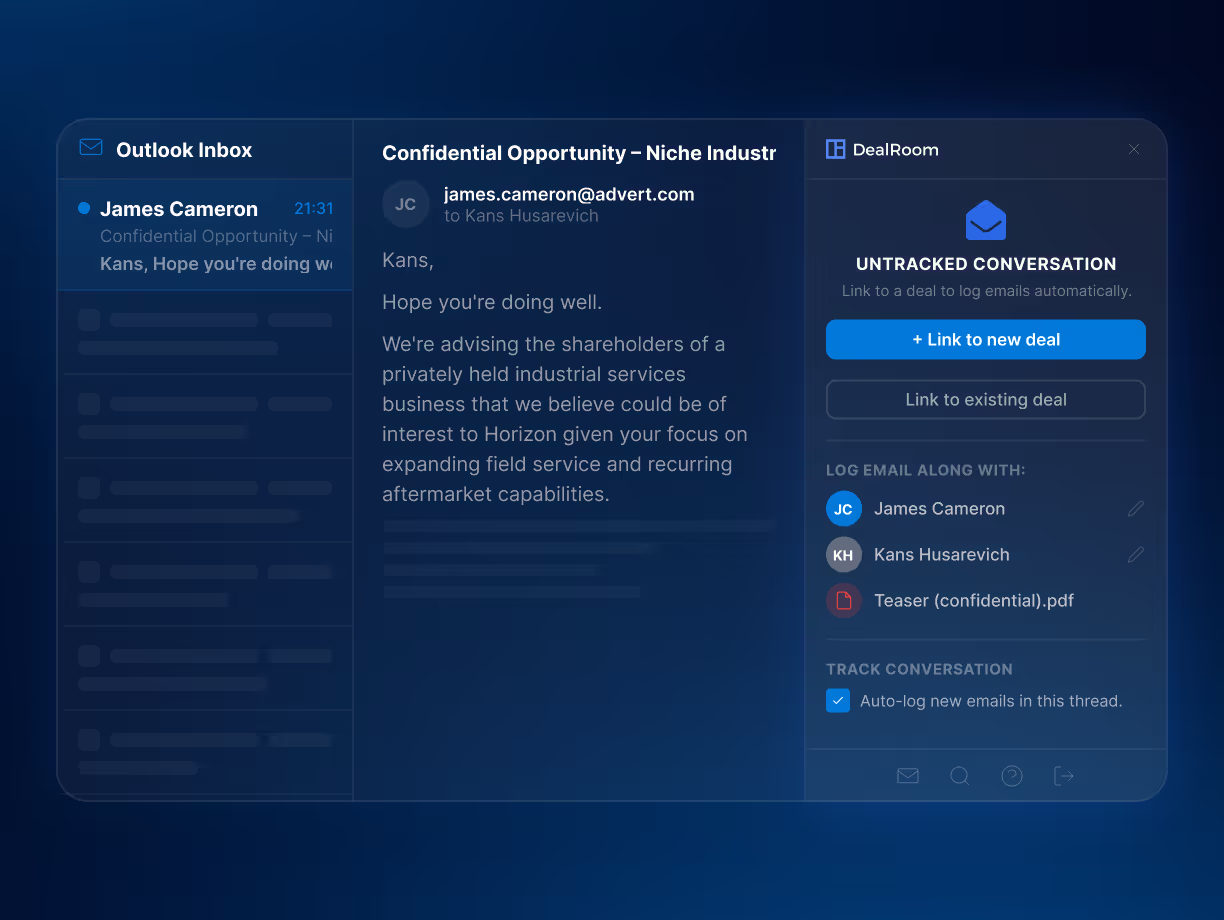
Connect an Outlook thread to a deal once. DealRoom captures future emails, contacts, and attachments automatically.

Step 2

Scan

AI scans conversations and documents to detect deal updates and follow-ups.

Step 3

Update

AI generates summaries, suggests deal updates, and creates tasks to keep your pipeline current.

Use AI to manage your pipeline

Connect conversations

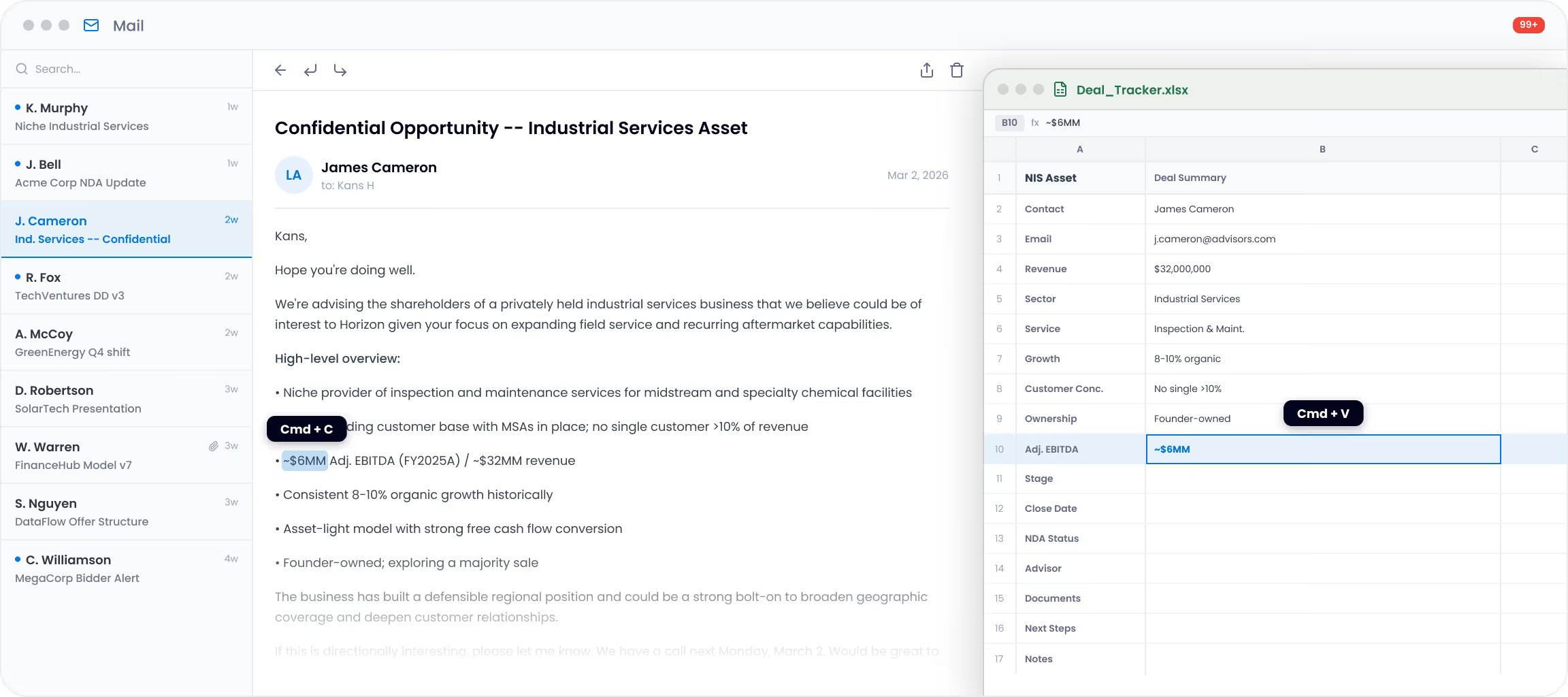
Deal updates live in email while pipeline data lives in your target tracker.

Connect Outlook once, and DealRoom automatically captures conversations and attachments, letting you add notes or update deal information directly from the email context.
Capture follow-ups

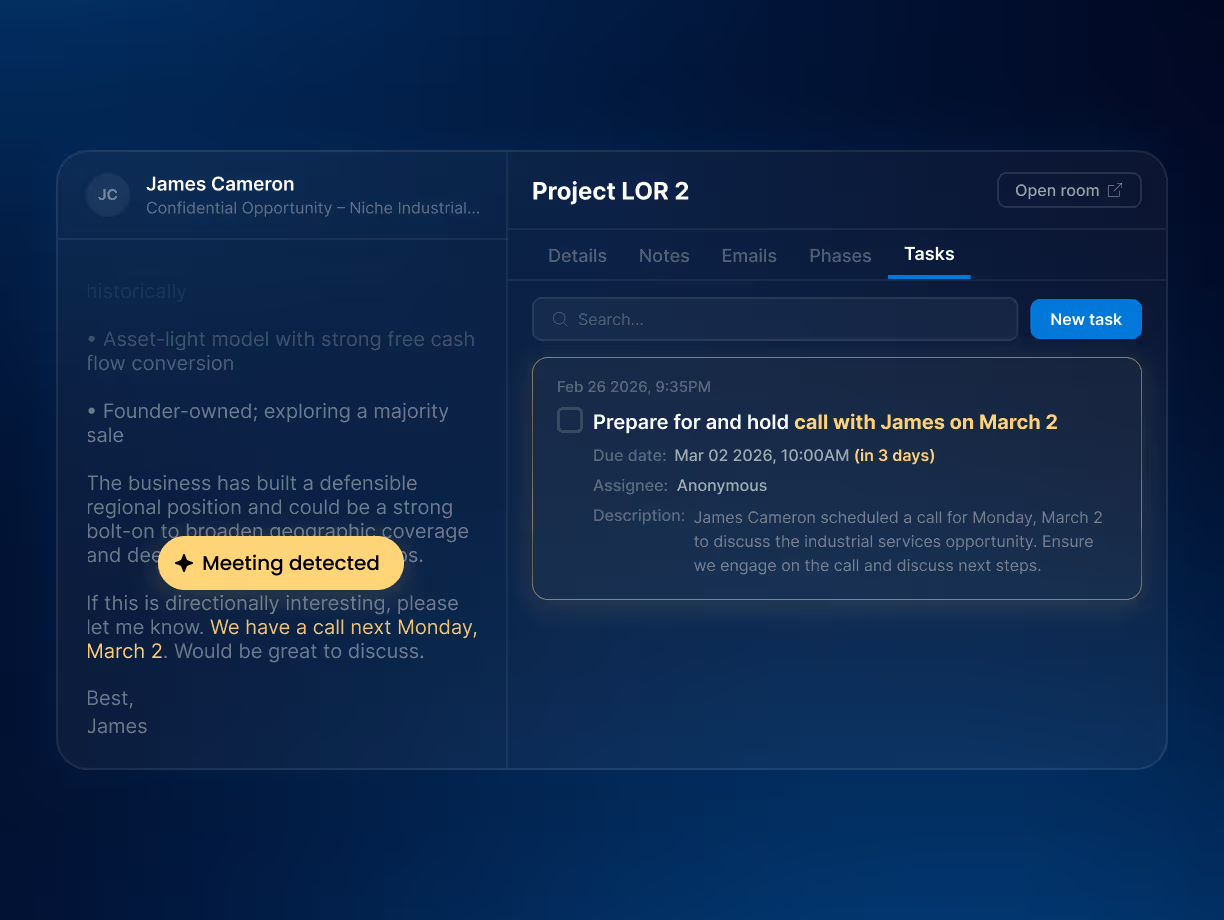
Next steps often get buried inside email threads.

DealRoom AI detects follow-ups mentioned in emails and suggests tasks directly on the deal card with context and deadlines, so every commitment becomes trackable.
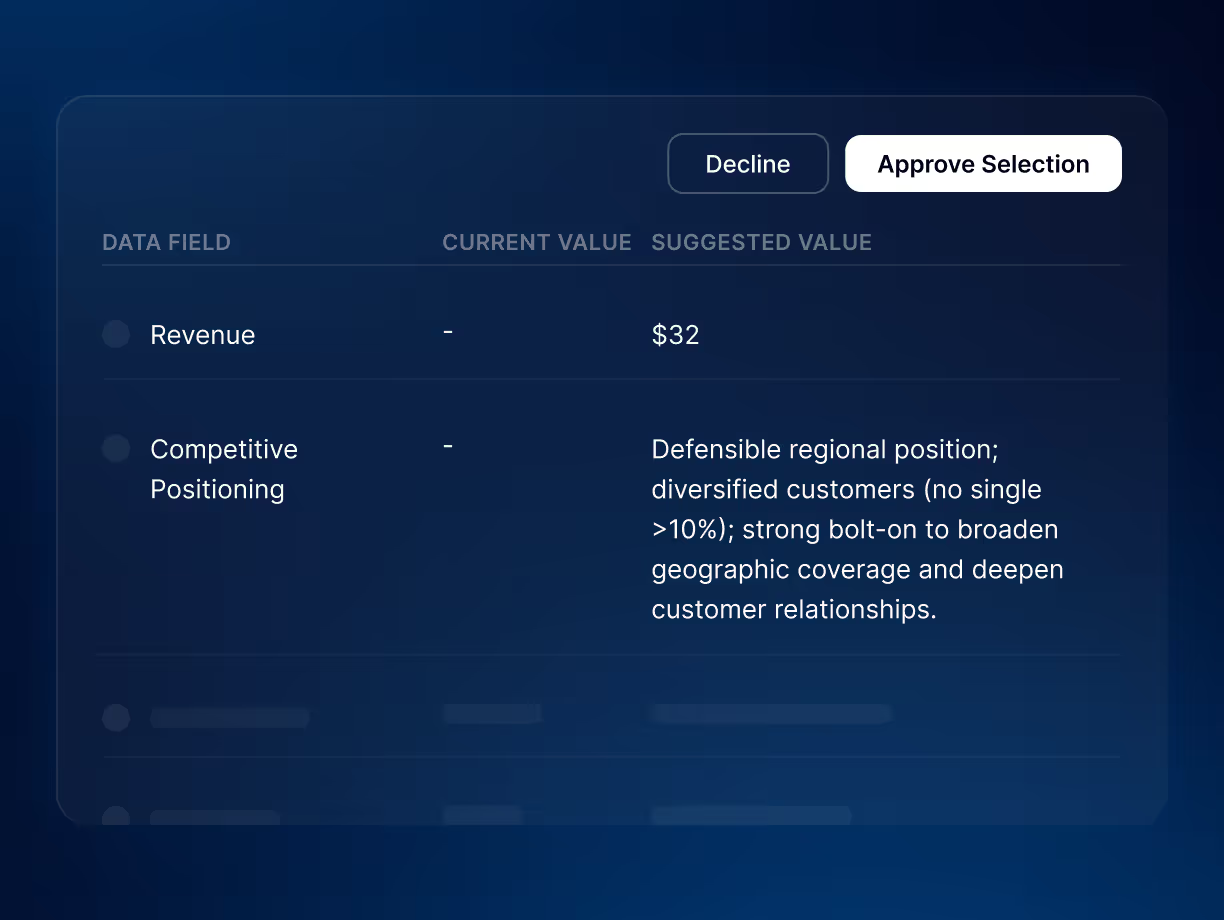
Update deal data

Important deal updates often stay buried in conversations.

DealRoom AI detects when key deal information changes and suggests updates to the deal card so revenue shifts, timeline updates, and other details are reflected instantly.
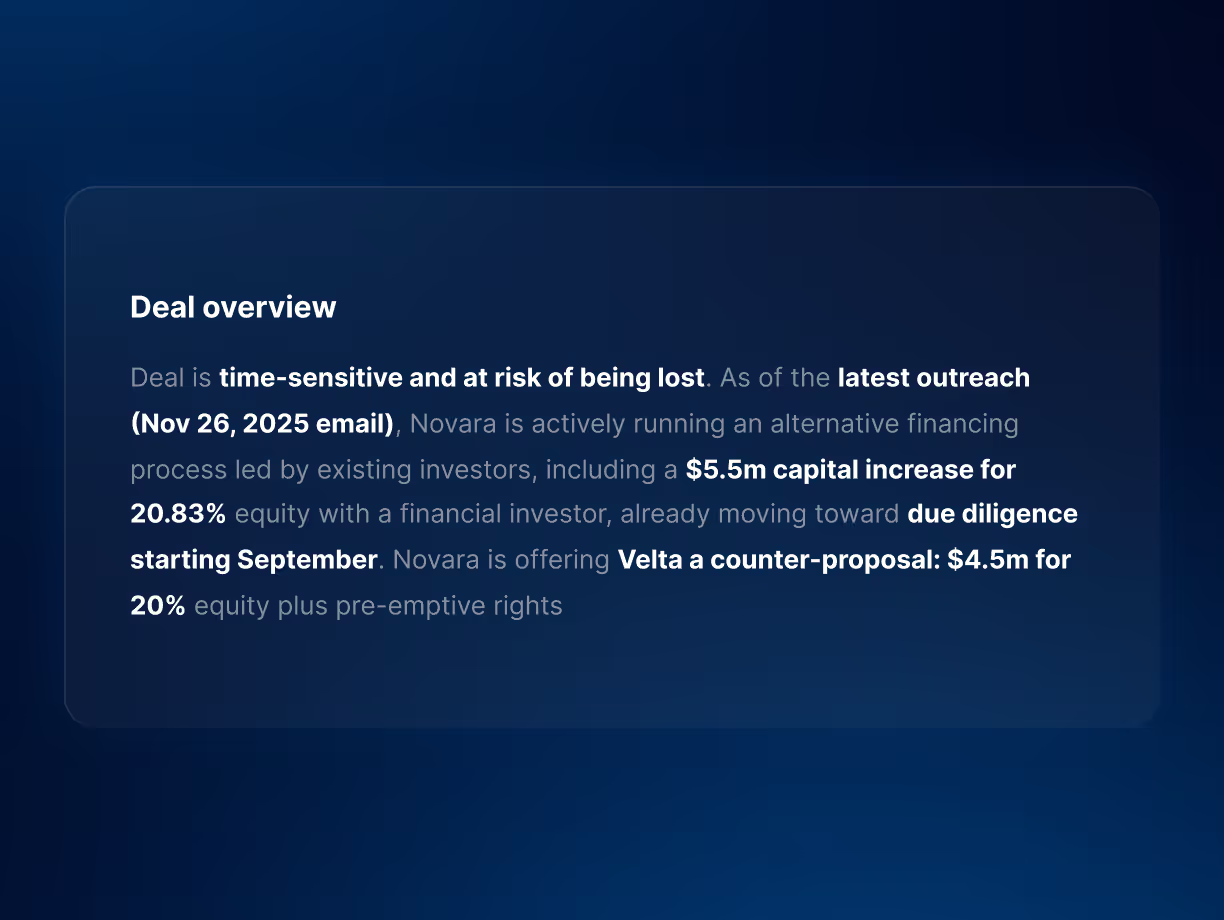
Understand every deal

Understanding a deal often requires reading long email threads.

DealRoom AI generates a continuously updated overview that summarizes deal status, recent activity, and next steps, so anyone can instantly understand where the deal stands.
See DealRoom AI in action for Due Diligence

Frequently asked questions

What is AI pipeline management in M&A?

AI pipeline management is the use of artificial intelligence to keep an M&A target tracker current from the emails, documents and conversations where deal updates actually happen. Instead of a dealmaker re-keying revenue, timeline or next-step changes into a spreadsheet, the AI reads the logged correspondence, suggests the update and proposes follow-up tasks. In DealRoom, these suggestions land on the deal card with the source context. Every stage move is timestamped so pipeline reporting stays accurate.

How is an AI M&A pipeline different from a CRM or spreadsheet?

An AI M&A pipeline is organized around deals and their diligence rather than sales contacts. It updates itself from deal correspondence instead of waiting for manual entry. A spreadsheet or sales CRM records what someone typed last week. DealRoom's pipeline uses customizable deal phases, timestamped stage moves and weighted deal scoring. The same record carries into diligence and integration without re-keying, so leaders can see where deals stall in the funnel instead of chasing status.

Can AI find and research acquisition targets for an M&A pipeline?

Yes. With DealRoom MCP, a team can ask Claude, ChatGPT or Copilot to research companies that fit a thesis, for example vertical SaaS firms under a revenue threshold, then create new deal records in DealRoom with market notes and source links attached. Inside the platform, deal cards can also be enriched through the Apollo.io and PitchBook integrations. Sourcing output lands in the same pipeline the team already works from, not a separate list. See https://dealroom.net/mcp.

Does AI update deal data automatically or does someone approve it?

In DealRoom, AI suggests changes and a person accepts them. When the AI detects a revenue shift, a timeline change or a follow-up buried in an email thread, it proposes the update or task on the deal card with the supporting context. The deal owner approves it in one click. Nothing is written to the record without that acceptance, which keeps the pipeline reliable for the reporting dashboards that read from it.

Which email systems does DealRoom AI connect to?

DealRoom connects to Microsoft Outlook and Gmail through add-ins. From the inbox a user can link an email to an existing deal or create a new deal. Later emails in that thread, along with contacts and attachments, log automatically. The Outlook add-in is the more capable of the two. Once correspondence is logged, DealRoom AI scans it to suggest deal card updates, tasks and a continuously updated deal summary.

Can DealRoom AI read a CIM and fill in the deal card?

Yes. When a CIM, financial statement or teaser arrives by email and is logged to a deal, DealRoom AI reads the attachment and suggests values for pipeline fields such as revenue, EBITDA and headcount. The deal owner reviews and accepts the suggestions. A customer quoted on this page, a vice president of development and strategic finance, describes this as turning the most repetitive part of the workflow into a one-click approval.

Does connecting email to DealRoom expose our whole inbox?

No. DealRoom logs only the emails a user links to a deal from the Outlook or Gmail add-in, plus later messages in those threads. The rest of the inbox stays outside the platform. Logged correspondence sits on the deal card inside DealRoom, which carries role-based permissions and a detailed audit log of every action, so the team can trace who logged what and when.

See DealRoom AI in Action

Trusted by 350+ customers

Core & Main LogoBelden Logo1-800 Flowers LogoEmerson LogoCompass Group LogoScott's LogoInfoblox LogoEnergizer LogoBecton Dickinson LogoBlock Logo