

Want to see how DealRoom helps corporate development teams streamline M&A, eliminate manual work, and accelerate deals? In this self-guided tour, explore the key features that corp dev leaders rely on to run acquisitions smoothly.
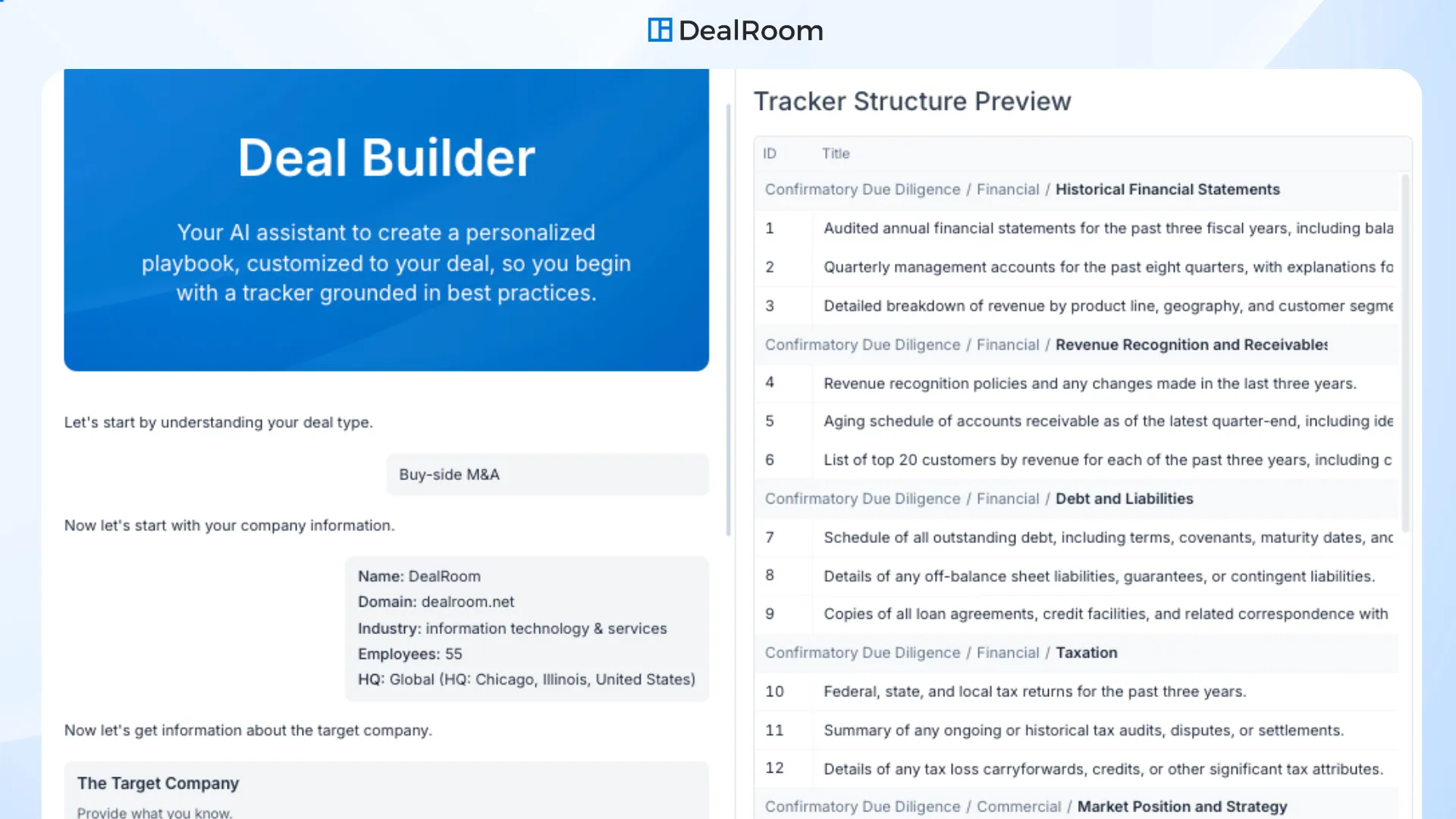
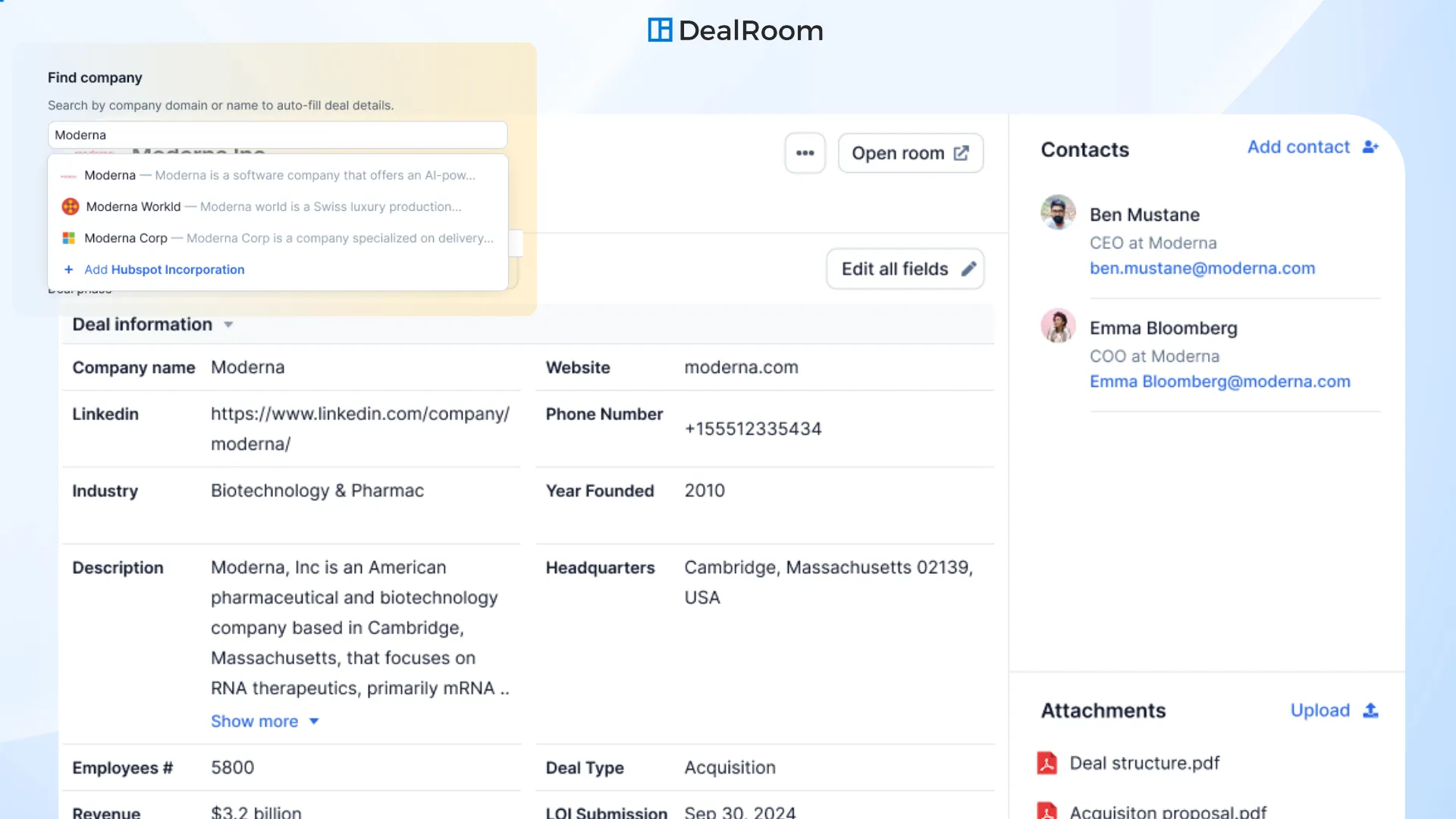
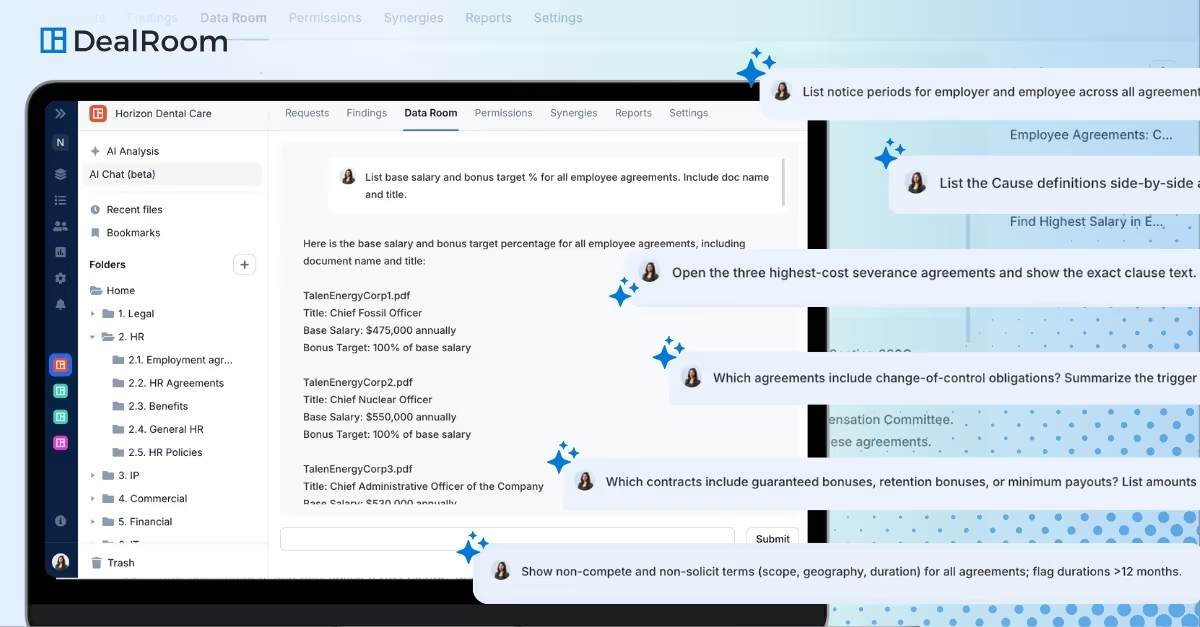
The DealRoom platform tour is a self-guided walkthrough of the features corporate development teams use most. It shows asking questions across every contract in a deal and getting answers with verifiable sources, building a deal playbook with a diligence request tracker and folder structure, generating summaries across multiple contracts and automated target enrichment that removes manual data entry. Separate product tours cover other areas of the platform. A live demo with the DealRoom team can follow.
Can I get a live demo of DealRoom instead of the self-guided tour?
Yes, DealRoom offers a free guided walkthrough with its team in addition to the self-guided tour. You schedule a call and the team shows the pipeline, diligence, integration and BI Reporting features against your own use case, including how sellers experience a request and how permissions work. DealRoom can also prepare a comparison against other options you are evaluating and help build a business case for your executives. Request one at https://dealroom.net/product/request-a-demo
What should I look for in an M&A software demo?
In an M&A software demo, ask to see the full path from pipeline to diligence to integration in one record rather than three separate screens. Watch what a seller sees when a request is assigned, how permission groups and "view as" work, where AI answers cite their source and what happens when the documents do not contain the answer. Ask which model is used, whether your data trains it and how pricing scales. DealRoom demos are built to answer each of those directly.
Does DealRoom offer a free trial?
DealRoom offers a free guided walkthrough with its team rather than a self-serve trial. Because the platform is configured around your request templates, permission groups and pipeline phases, the walkthrough uses your process so you see how a real deal would run. Onboarding then starts with a customer success manager loading your existing tracker into a room. Volume discounts are handled case by case. Trial and pricing questions are answered at https://dealroom.net/products/pricing
How does AI answer questions across all contracts in a deal?
DealRoom AI chats across a whole data room, reading every document the user is permitted to see and returning an answer with the source passage and page cited. If the contracts do not contain the answer, the AI says so instead of guessing. Summary templates work the same way at scale: name a summary such as Financial Summary, let AI propose the fields and apply it across many contracts at once, with each value linked to its excerpt.
How long does it take to get started after a demo?
After a demo, getting started with DealRoom begins with a kickoff where a customer success manager reviews your plan, goals and milestones, then loads your existing Excel tracker and folder structure into a room. Admin training, a reporting requirements review and role-based training sessions follow, with a regular check-in cadence afterward. A first room can be live within minutes of sending the tracker; the full onboarding program runs over a series of sessions. Details: https://dealroom.net/product/onboarding-services